Built for agencies and client-service teams
Deliver client work without the chase.
Projects, tasks, reviews and client approvals in one workspace. Your team knows what's next, clients sign off in one click, and nothing slips through email.
- No credit card required
- Secure billing by Stripe
- Cancel anytime
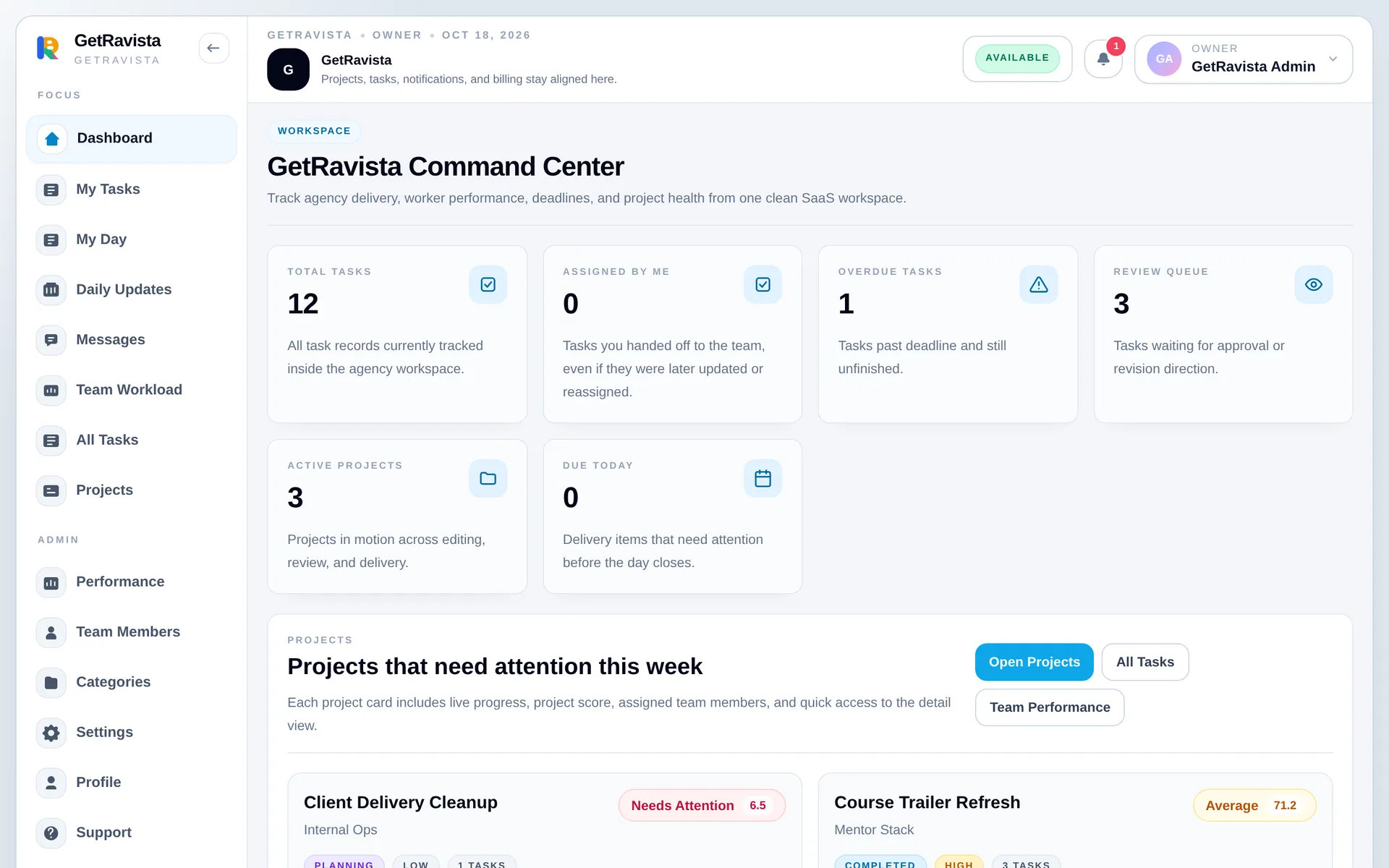
How to use getravista
Set up, plan, send for review, get approved.
Two-minute walkthrough
Turn the sound on for the voice-over
Why agencies switch
Generic task tools weren't built for client work.
Feedback buried in email
Reviews live on the work
Every comment, proof and revision sits on the deliverable it belongs to.
Approvals lost in chat
One-click client sign-off
Clients approve or request changes, with a timestamped record of every decision.
Tasks split across tools
One delivery workspace
Projects, tasks, handoffs, files and messages live in a single place.
Status kept in spreadsheets
Live team dashboards
See workload, blockers and deadlines before they slip.
Features
Everything between kickoff and sign-off.
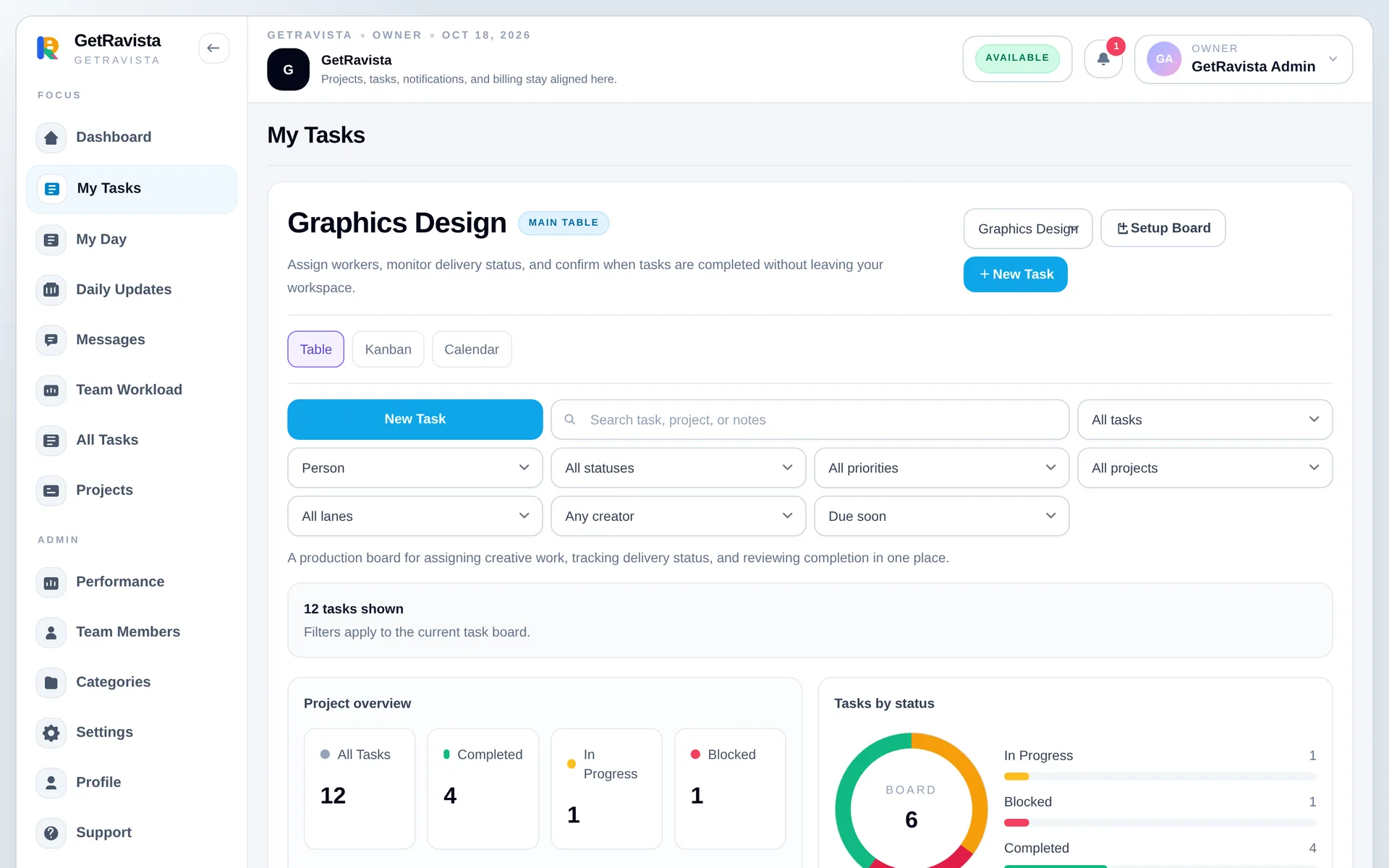
Projects & tasks
Table, kanban and calendar views with owners, due dates, priorities, checklists, recurring tasks and time tracking.
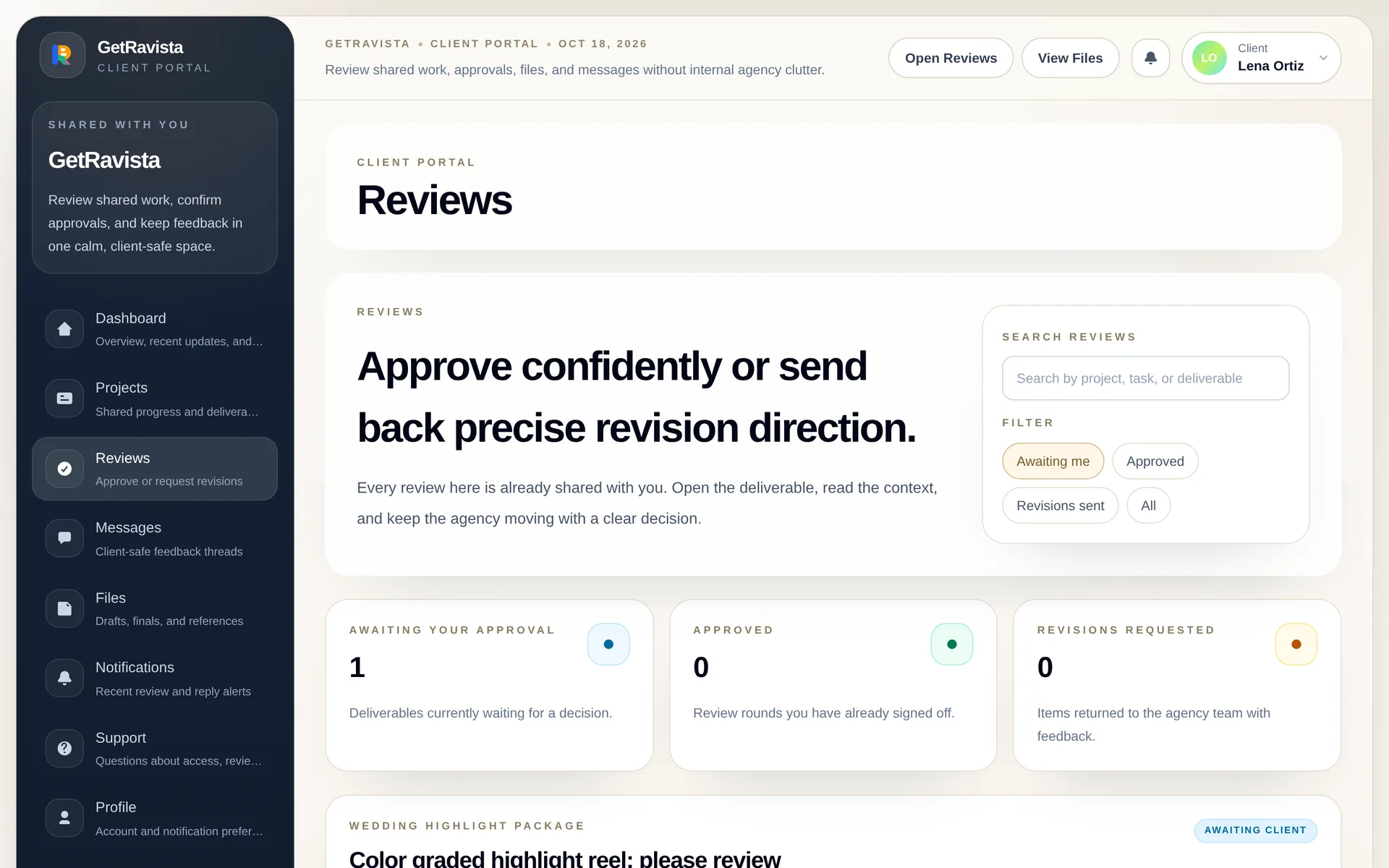
Review & approval flow
Send work for review, collect revision requests and track every proof version through to final approval.
Client portal
Client-safe views where clients see progress, download shared files and approve deliverables. Nothing internal leaks.
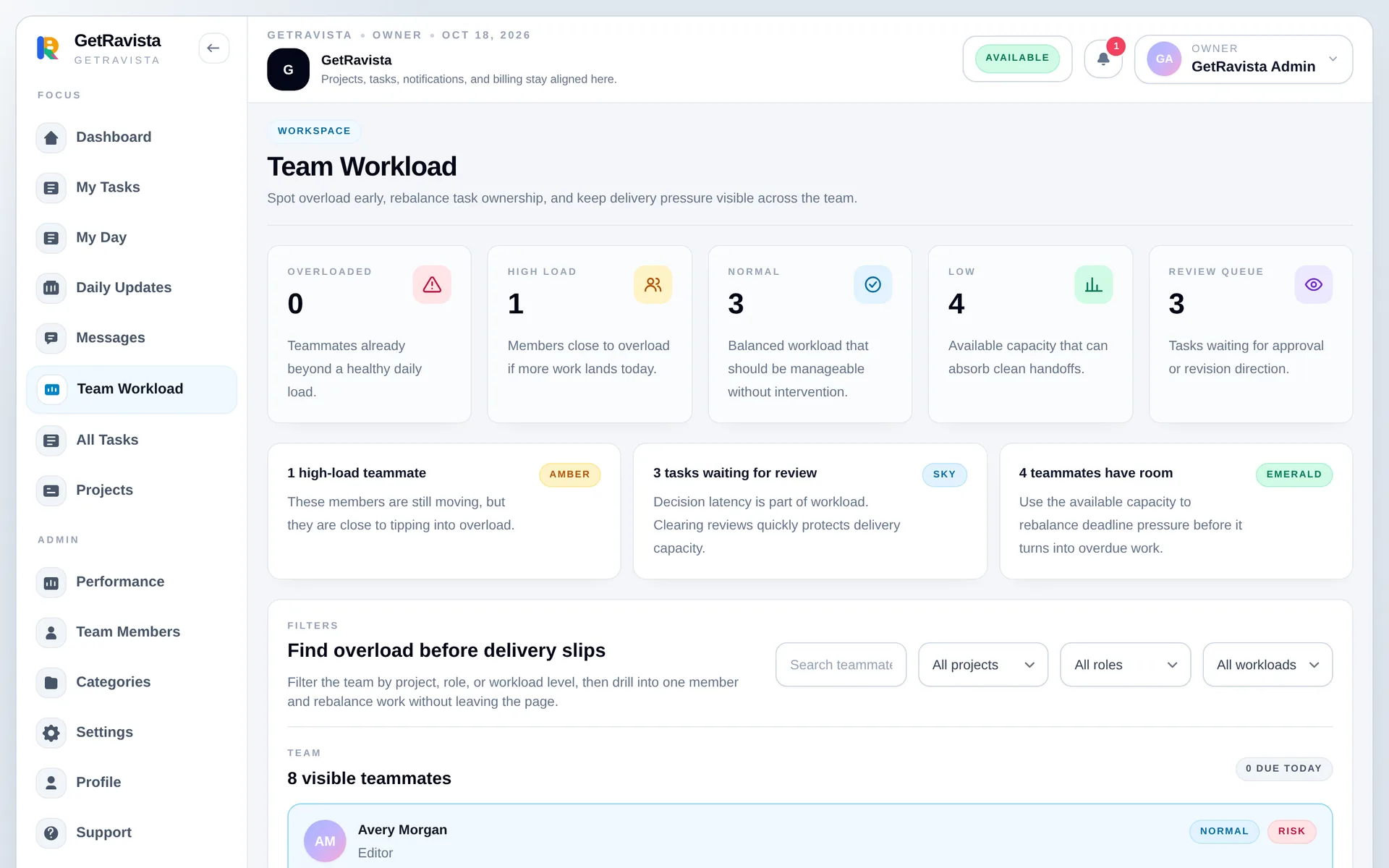
Team workload & performance
Spot overloaded teammates, rebalance work in bulk and review delivery scores across the team.
Built-in messaging
Internal threads, client conversations and support requests linked to the projects and tasks they are about.
My Day & daily updates
Each teammate plans the day, sees what is due and posts an end-of-day update for managers.
How it works
From brief to approved in four steps.
-
01
Set up your workspace
Create the workspace, pick a workflow and invite your team.
-
02
Plan and assign
Break work into tasks with owners, due dates and priorities.
-
03
Share for review
Send deliverables to the client through their portal.
-
04
Get it approved
The client approves or requests changes, and it is all on record.
Client portal
Give clients a clear window, not your whole workspace.
Clients sign in to see the projects and deliverables you share, leave feedback in context and approve in one click. Internal tasks and conversations stay private.
- Client-safe views of progress, files and deliverables
- Approve or request changes with a timestamped record
- Client messages linked to the project they are about
AI Studio & voice
Less admin. More approved work.
AI that understands client work, built into every plan. Speak instead of typing anywhere in the workspace.
Brief to plan
Paste or dictate a client brief and get an ordered task list with priorities and due dates, ready to create.
Feedback to tasks
Drop in a client email or call notes. Every change request becomes a task, with the overall mood flagged.
Client status reports
A warm, client-ready weekly update written from the project’s real progress, approvals and risks.
Voice quick-add
Tap the mic and say “Send Acme the mockups by Friday, high priority”. The task appears with date, project and owner.
Dictate anywhere
Comments, descriptions, messages and daily updates all take voice. Works in Chrome, Edge and Safari with no setup.
Daily updates in seconds
End-of-day updates drafted from what you actually closed and logged today. Review, add a note, post.
Pricing
Simple plans that grow with your team.
Every plan starts with a 14-day free trial, no card needed. Pay yearly and get 2 months free. Compare plans
Starter
For freelancers and small studios running client work and approvals in one place.
$29 /month
Start free trial- 3 team seats
- 15 active projects
- 10 GB file storage
- Client portal with 5 client collaborators
- One-click client approvals
- 100 AI credits a month + voice input
Growth
For growing agencies that want AI-assisted delivery and unlimited client collaboration.
$79 /month
Start free trial- 10 team seats
- 75 active projects
- 50 GB file storage
- Unlimited client collaborators
- AI brief-to-plan, feedback-to-tasks and client status reports
- 1,000 AI credits a month + voice quick-add
Pro
For established agencies running several teams that need headroom and priority help.
$179 /month
Start free trial- 25 team seats
- Unlimited active projects
- 200 GB file storage
- Unlimited client collaborators
- Everything in Growth
- 5,000 AI credits a month
- Priority support
Is getravista only for agencies?
It is built for agencies, but it works for any team that delivers work to clients: studios, consultancies, freelancer collectives and in-house creative teams.
Can I invite clients?
Yes. Clients get their own portal with only the projects, files and reviews you share with them. Internal tasks and conversations stay private.
Can my team collaborate inside tasks?
Yes. Tasks support assignees, comments, attachments, checklists, review requests and a full activity history.
What happens when I reach a plan limit?
Seat, project and storage usage is always visible in the workspace, and owners can upgrade at any time from billing.
How does the free trial work?
Every plan starts with a 14-day free trial. No credit card is needed to start.
Can I upgrade, downgrade or cancel later?
Yes. Change plans or cancel anytime from the billing page. Payments are handled securely by Stripe.
Run your next client project in getravista.
Set up your workspace in minutes. Free for 14 days.